Check: one page
What it is for: Check is the start screen. Paste the address of one page and Ani checks it against the audit types you pick. The same field also takes a whole website or a list of addresses (see Site audit). More about the audit types: Spam & Quality Check.
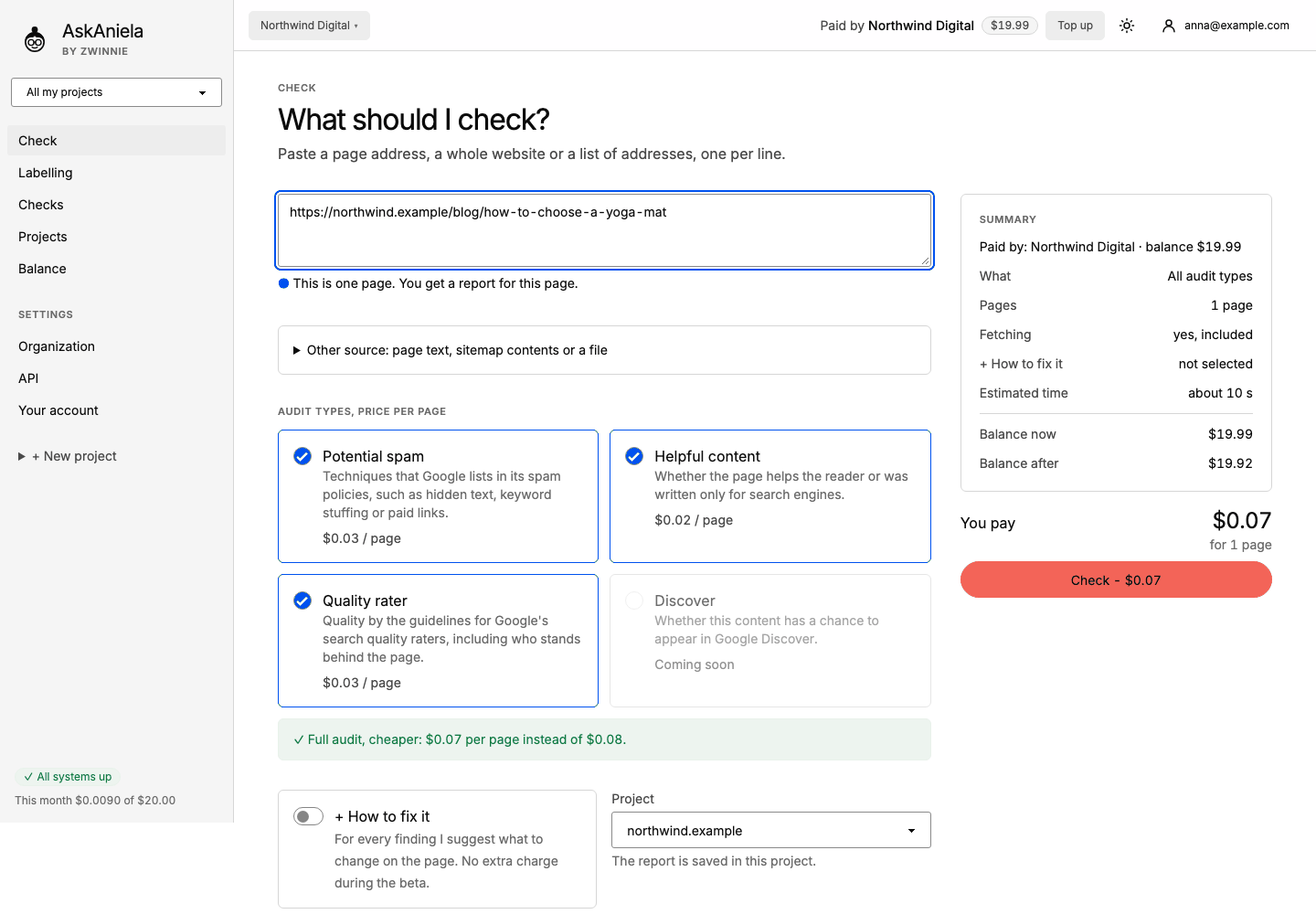
Step by step
- Click Check in the sidebar.
- Paste the page address. Under the field Ani confirms what she understood, for example "This is one page".
A domain alone (
example.com) means the whole website. -
Under Audit types, price per page tick what to check:
- Potential spam - techniques listed in Google's spam policies, such as hidden text or keyword stuffing.
- Helpful content - whether the page helps the reader or was written only for search engines.
- Quality rater - quality by the guidelines for Google's search quality raters, including who stands behind the page.
- Discover is marked "Coming soon".
All three together are the cheaper full audit. 4. Turn on + How to fix it if you want Ani to suggest what to change for every finding (free during the beta). 5. Pick the Project the report goes to. 6. Optional, under More options: Render JavaScript for sites that build content with JavaScript (extra price per page) and Report language. 7. Check the Summary on the right: who pays, pages, estimated time, balance now and after. Click Check - $…. The button unlocks once the price is ready.
You see progress stages (fetching, reading, rules, evidence). When the check ends, the page report opens.
Other source lets you paste page text or HTML (checked without visiting the page), paste sitemap contents or upload a TXT, CSV or ZIP file.
Common questions
What if the page needs JavaScript? Turn on Render JavaScript under More options, or set the default in the project settings. If a page looks empty, the report also offers a retry with rendering.
Do I pay if the check fails? No. Pages Ani cannot open are not charged.
Can I check a phrase or a market here? No. What searchers want for a phrase is a separate tool: Search Intent.