First steps and your first project
What it is for: after the first sign-in the app shows Getting started: you accept the Terms of Service and see six short steps to your first useful result. You can open it again from the sidebar.
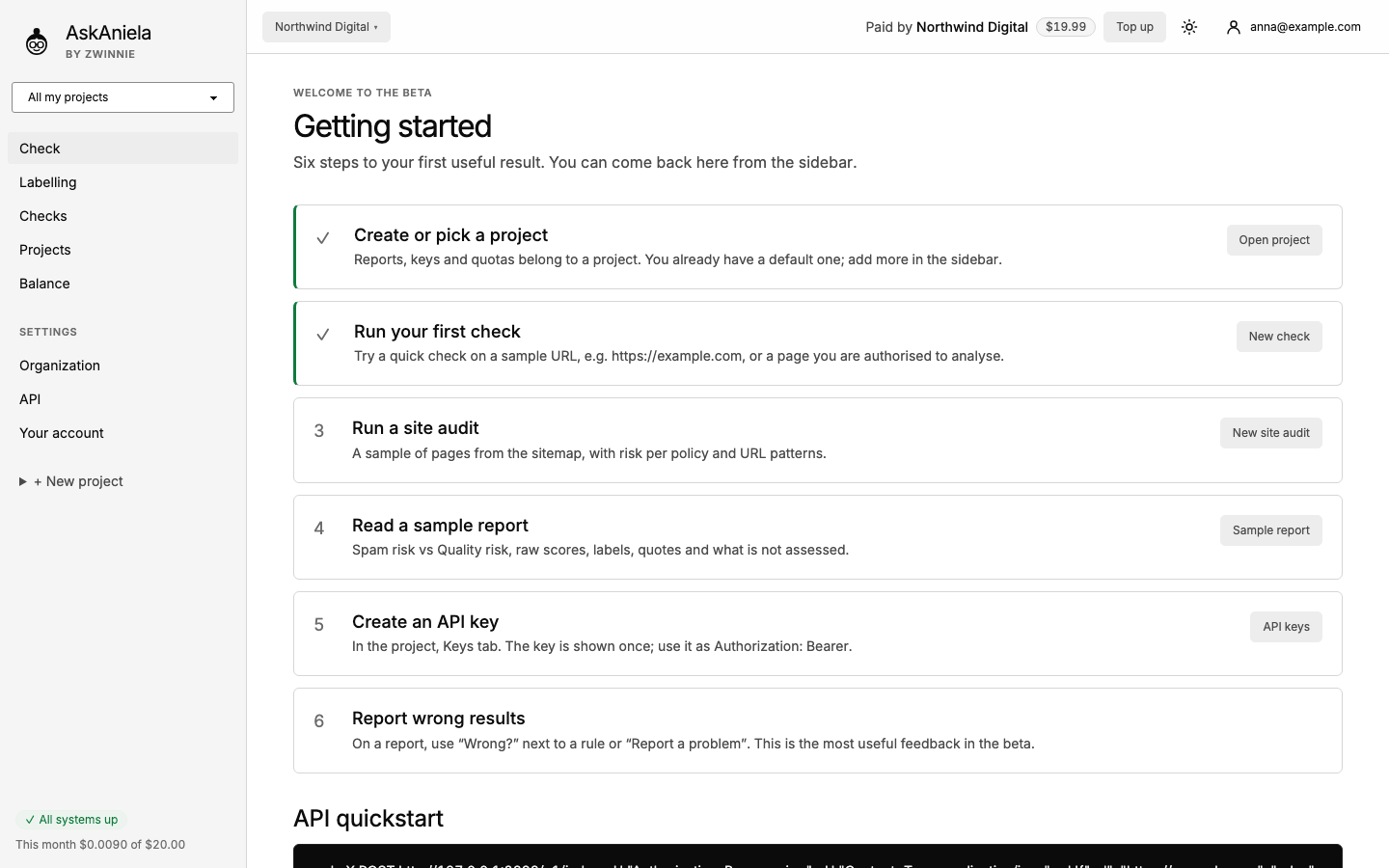
Step by step
- Tick I accept the Terms of Service and click Accept and continue.
- Go through the steps or click Got it, go to dashboard. After that the app opens on Check.
- Your first project: you already have a default project. Reports, API keys and limits belong to a project. To add one, click + New project in the sidebar, type a name (for example the client's domain) and save.
- Pick a project in the sidebar (All my projects shows everything). New checks are saved in the chosen project.
The top bar always shows who pays (Paid by and the organization) and the balance, with Top up next to it.
Common questions
Do I need more than one project? No. Projects help you keep clients or sites apart, give different people access and set different defaults. See Projects.
Where is the sample report? Step 4 opens a sample report with demo data. It does not cost anything.
I closed Getting started by accident. It is still in the sidebar and under /welcome.