Projects
What it is for: a project groups reports, API keys and limits, for example one per client or website. The project page has tabs Checks, Members, API keys, Privacy and Settings. Overview of roles and projects: Account, projects and members.
Create and open a project
- Click + New project in the sidebar, type a name and save.
- Projects in the sidebar lists all projects of the organization; click one to open it.
- New check on the project page starts a check saved in this project.
Tabs
- Checks - the checks of this project.
- Members - add a person by e-mail and remove access. The person needs an AskAniela account first.
- API keys - see API keys.
- Privacy - private mode (below).
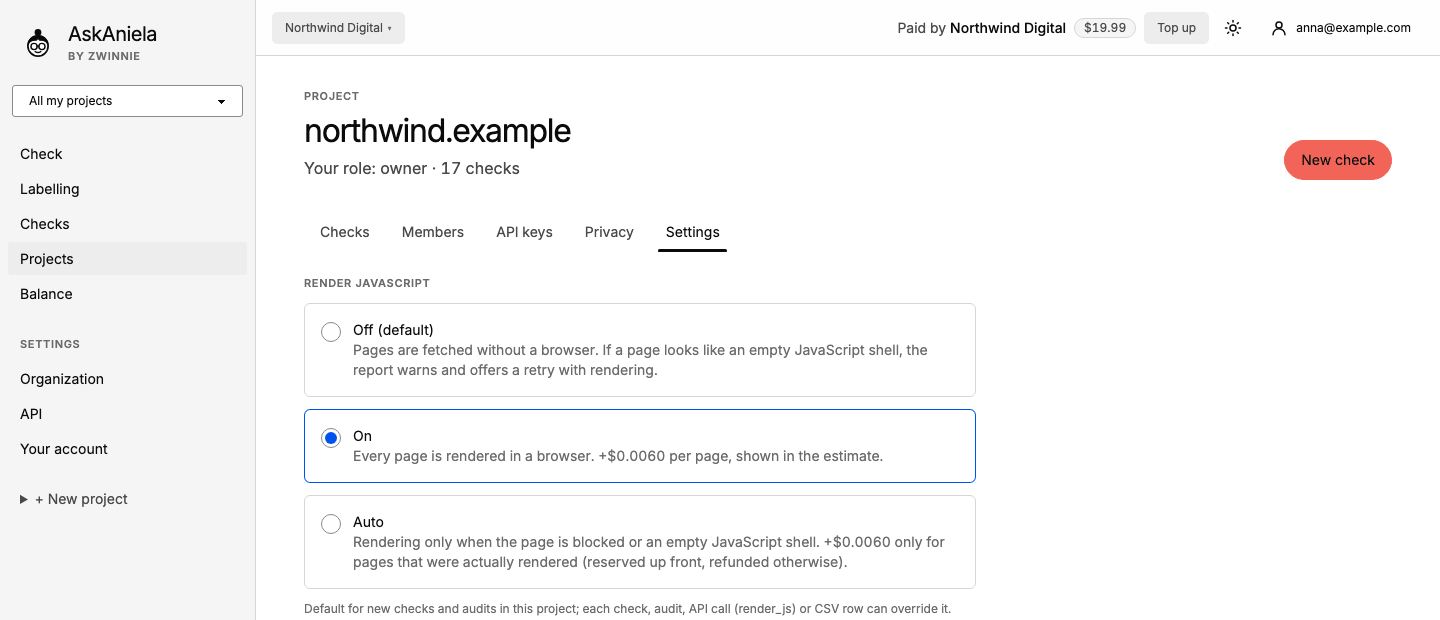
- Settings - Render JavaScript - the default for new checks and audits in this project:
- Off (default) - pages are fetched without a browser; if a page looks empty, the report offers a retry with rendering;
- On - every page is rendered in a browser, at an extra price per page;
- Auto - rendering only when a page is blocked or empty; you pay extra only for pages actually rendered.
Private mode
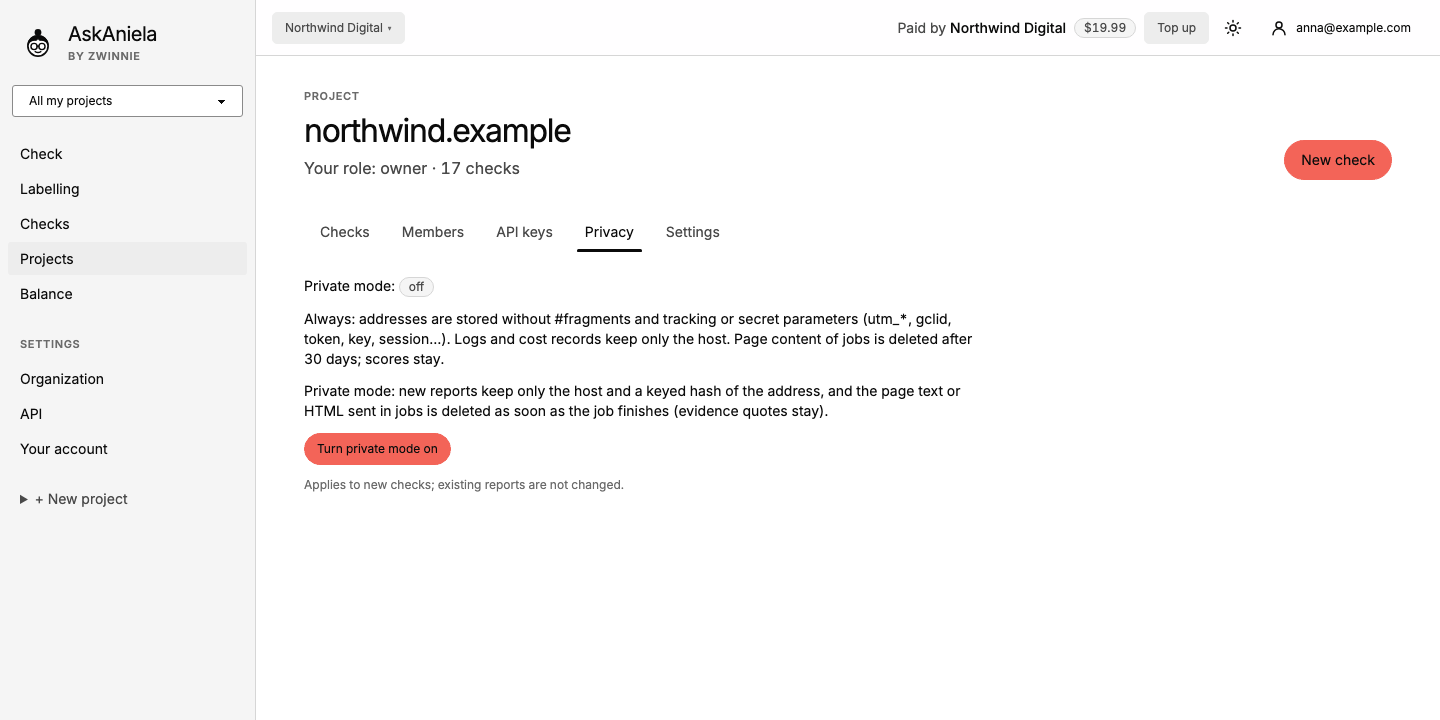
In private mode new reports keep only the host of each address, and page text sent in jobs is deleted when the job ends. Share links of a private project never show quotes. It applies to new checks only.
Common questions
Can one person be in several projects? Yes. Access depends on the role in the organization and in the project.
Does private mode change old reports? No, only checks started after you turn it on.
Can a single check override Render JavaScript? Yes, under More options on the Check screen.