Site audit
What it is for: a site audit checks many pages of one website at once and shows which findings repeat and on which pages. You start it on the same Check screen as a single page. More detail on choosing pages: Site audits.
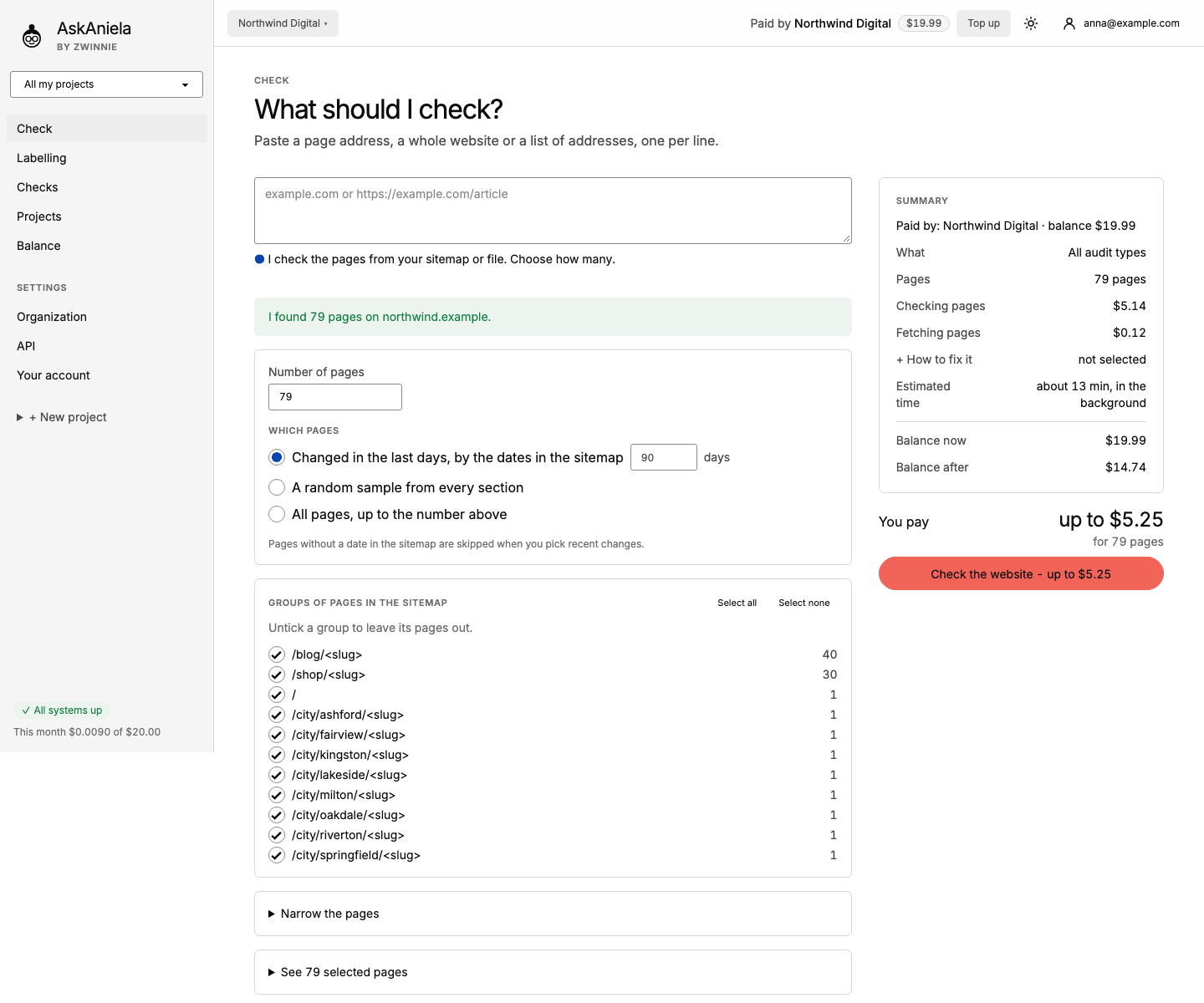
Start an audit
- Click Check and type the domain (for example
northwind.example) or the sitemap address. A list of addresses (one per line) also works. A sitemap that is not public can be pasted under Other source: page text, sitemap contents or a file, or uploaded as a TXT, CSV or ZIP file. - Ani reads the sitemap and tells you how many pages she found.
- Number of pages - how many pages to check at most.
- Which pages:
- Changed in the last days, by the dates in the sitemap - good for regular checks of new content.
- A random sample from every section - a fair picture of the whole site.
- All pages, up to the number above.
- Groups of pages in the sitemap - untick a group (for example
/shop/<slug>) to leave its pages out. Narrow the pages filters by address; See N selected pages lets you skip single pages. - Pick the audit types, + How to fix it and the Project, as for one page. E-mail me when the check is done is on by default.
- Check the Summary: pages, cost of checking and fetching, estimated time, balance after. Click Check the website - up to $…. "Up to" because pages Ani cannot open are not charged.
Progress
The audit page shows how many pages are done, the pace and the expected end. You can close the browser; the audit runs in the background. Pause stops it for a while, Resume continues, Stop ends it and returns the money for unchecked pages.
The site report
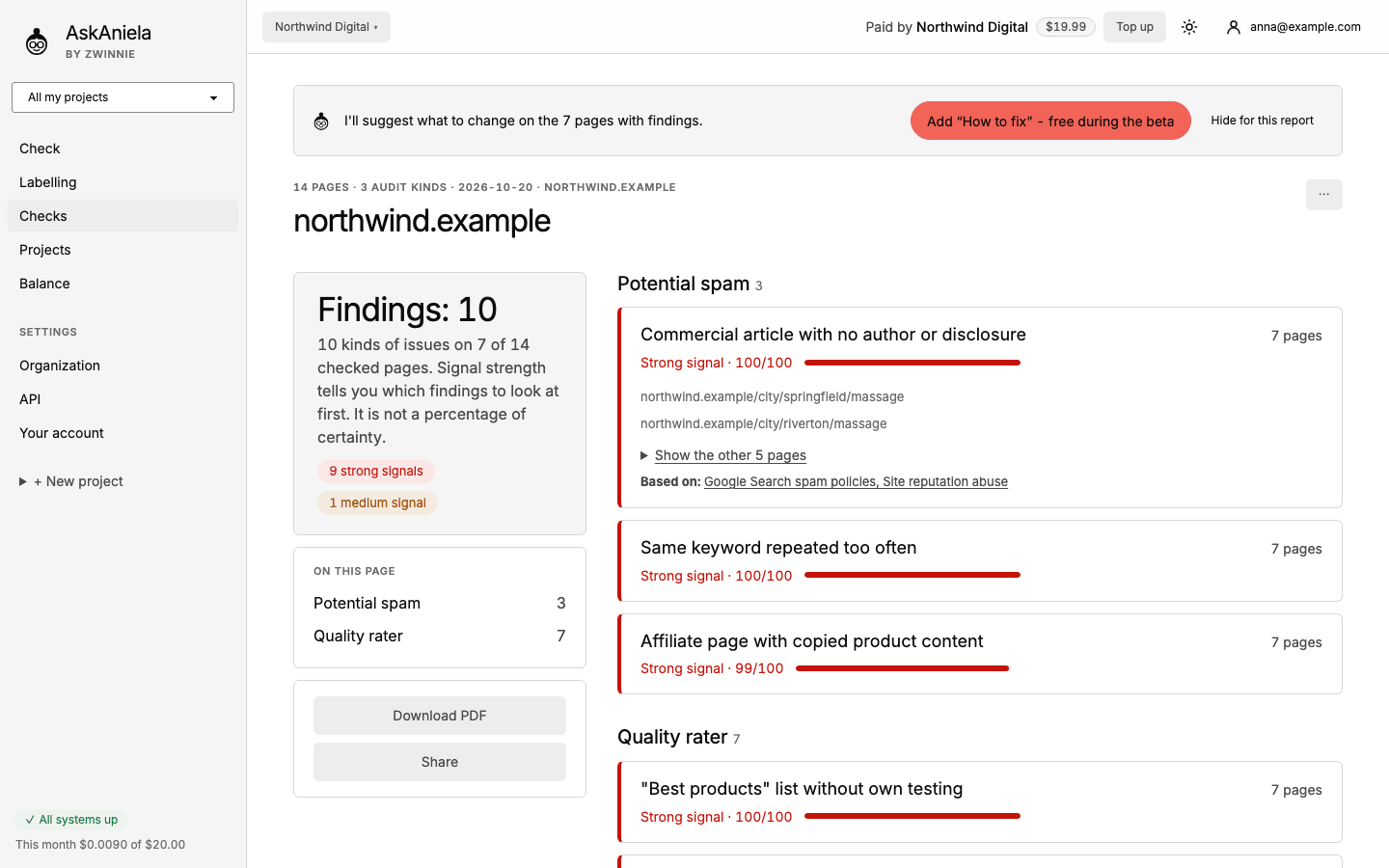
- Findings - kinds of issues and on how many checked pages they appear. Each finding shows its signal strength (0-100), example pages and Based on with links to the Google documents.
- N pages without findings - pages where Ani found nothing.
- All pages - every page with its risk level and number of findings, with search and Only with findings. Open report opens the page report.
- Add "How to fix" (top banner) prepares a list of changes for the pages with findings.
Exports and sharing
- Download PDF in the side panel; Download CSV, Markdown (ZIP) and JSON above the page list.
- Share creates a link that opens without signing in, optionally with a password and an expiry date. Details: Share links.
Common questions
The sitemap has no dates. Then "Changed in the last days" is not available; choose a random sample.
Can I add audit types later? Yes, run the audit again with the other types, or check single pages again from the page list.
Where do I find a finished audit? In Checks, tab Audits. Ani also e-mails you if you left E-mail me when the check is done on.