Search Intent
What it is for: Search Intent shows what people want when they type a phrase: the intents with their share of the top results and the form of page that fits best (for example a guide, a calculator or a product list). This is the only module with levels. More detail and prices: Search Intent in the user guide.
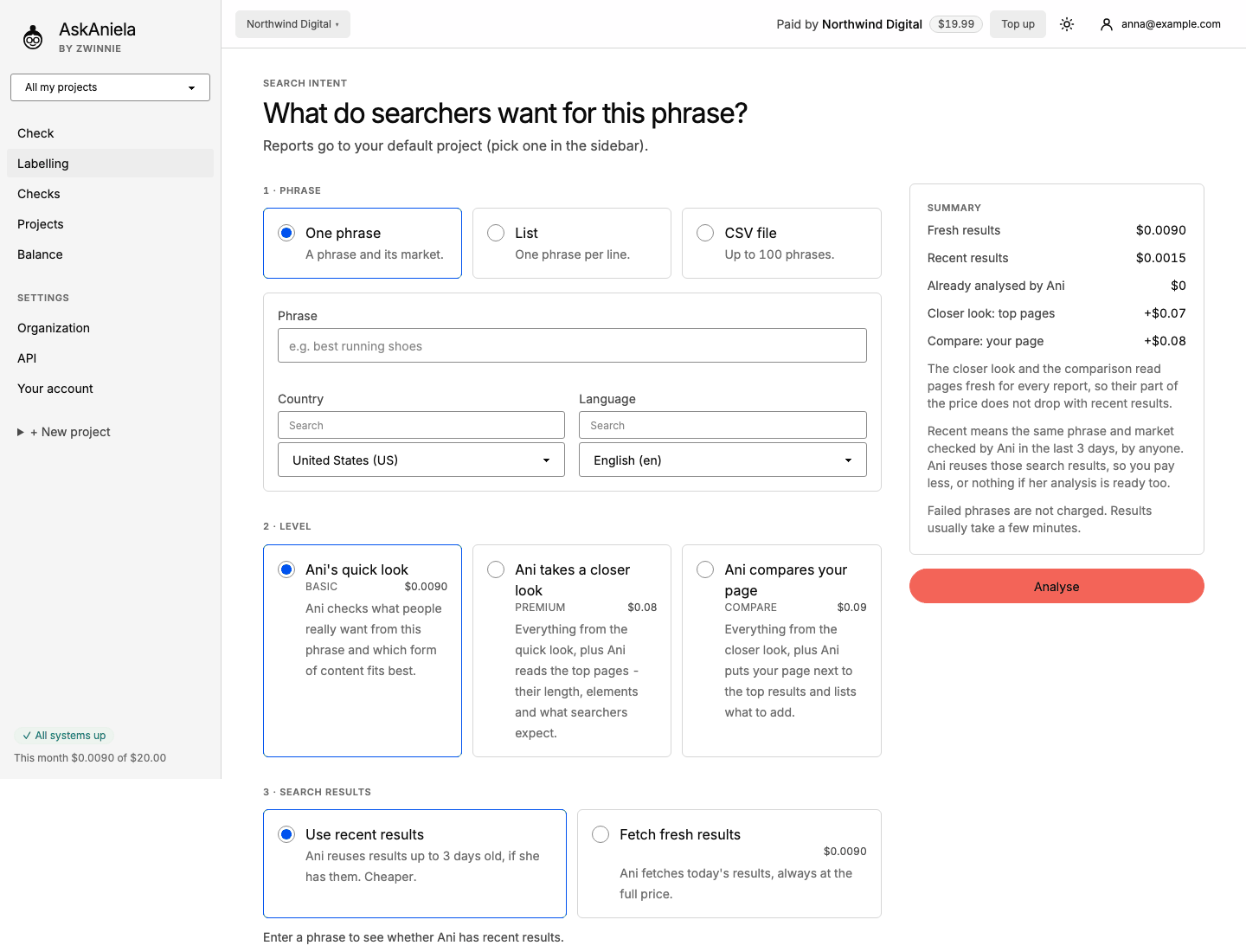
Step by step
- Open Labelling in the sidebar and click Search Intent (or go straight to
/intent). - 1 · Phrase - choose One phrase, List (one phrase per line) or CSV file (up to 100 phrases). For one phrase pick the Country and Language (the market).
- 2 · Level:
- Ani's quick look (Basic) - the intents, their shares and the form of content that fits best;
- Ani takes a closer look (Premium) - the quick look plus what the top pages contain;
- Ani compares your page (Compare) - the closer look plus your page next to the top results, with what to add. The field for your page address appears only for this level.
- 3 · Search results - Use recent results (cheaper, if Ani checked the same phrase and market in the last 3 days) or Fetch fresh results (always today's results, full price).
- Optional: Report language.
- Check the Summary and click Analyse. Results usually take a few minutes; the page refreshes by itself.
The History table below the form lists your phrases with the main intent, status, price and the date of the search results.
The intent report
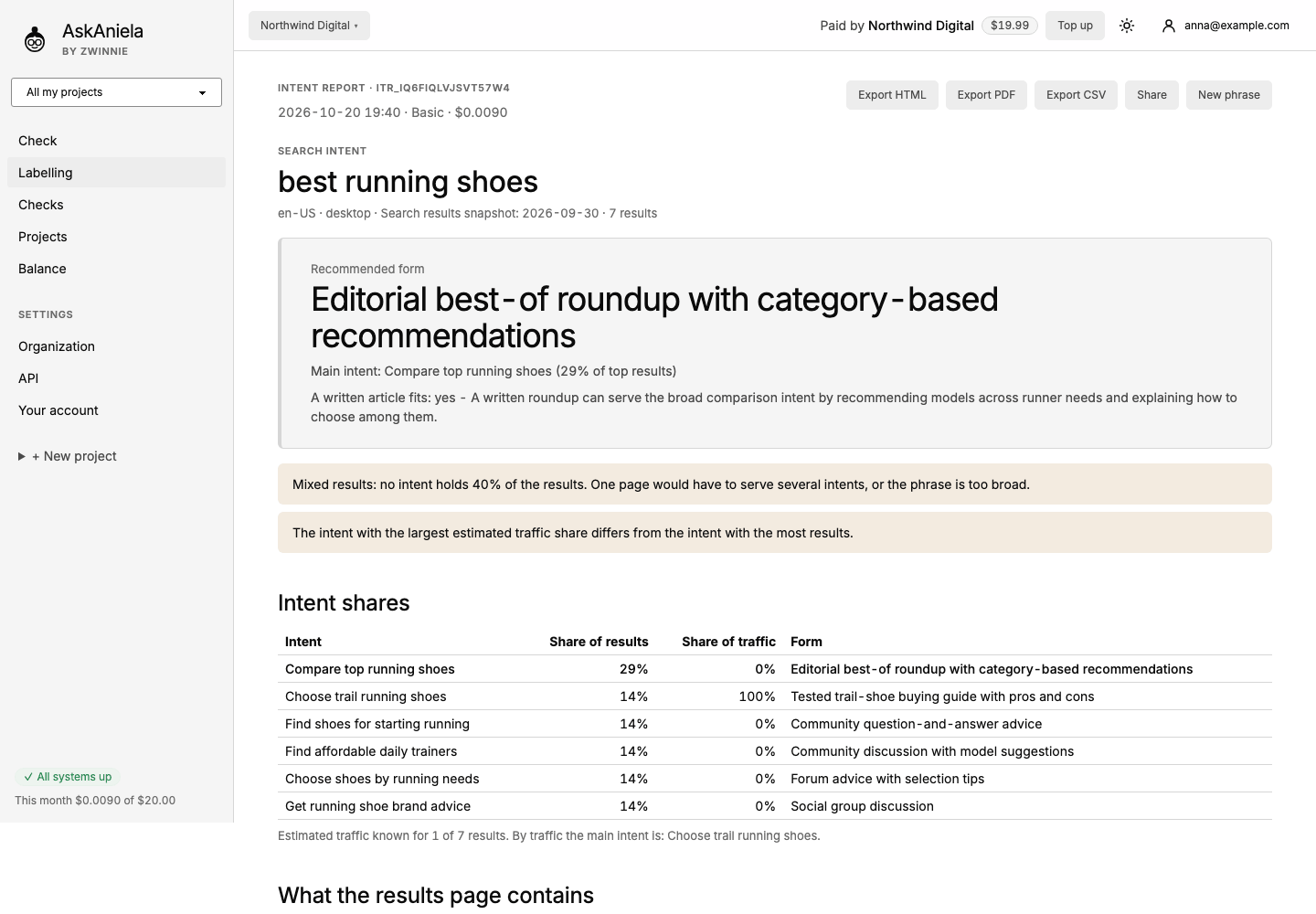
- Recommended form and the main intent with its share of the top results.
- Notes when the results are mixed (no intent dominates) or when traffic points to a different intent.
- Intent shares, What the results page contains, Which result serves which intent, content elements, reader questions, search demand and a summary.
- Export HTML, Export PDF, Export CSV, Share and New phrase at the top.
Common questions
What does "29% of results" mean? The share of the top results that serve this intent. It describes the results on the date shown, not a ranking promise.
Do I pay for phrases that fail? No. Failed phrases are not charged.
Can I see how the results changed? Yes. A report lists your earlier reports for the same phrase and market; open an older one to compare.